
See approved visitors who have not yet checked out.
SCHOOL PARENT & VISITOR MANAGEMENT
A smarter welcome.
A more organized school gate.
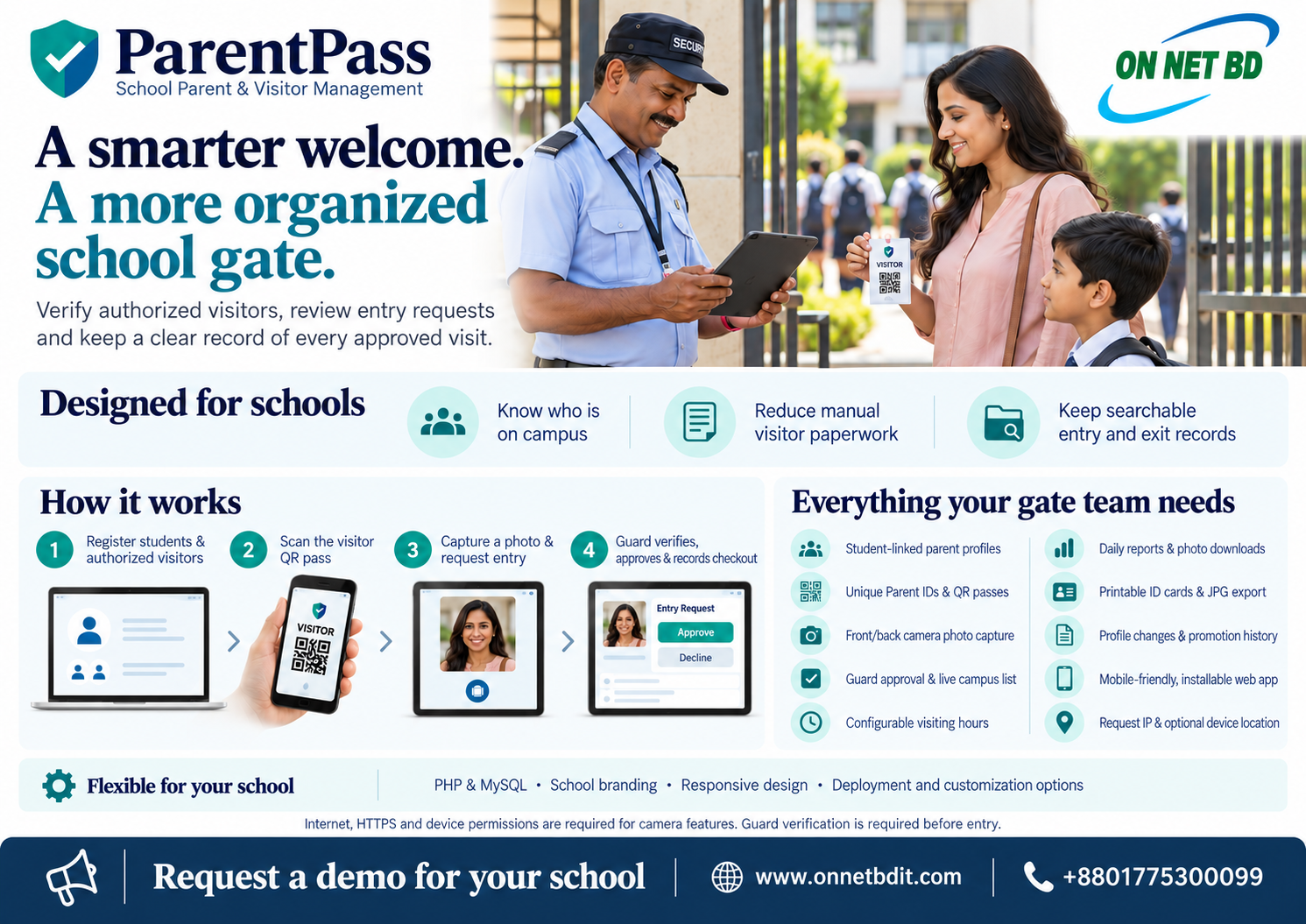
Bring parent identification, visitor requests and guard approval into one clear workflow. Keep a searchable record of who entered, when they arrived and when they left.
QR visitor passesPhoto-based requestsGuard-approved entry
ParentPassBY ONNET BD IT
Built around the way your school welcomes visitors.
Bring profiles, passes and visitor records together.
Search visits and print useful daily reports.
EVERYTHING YOUR GATE TEAM NEEDS
School visitor management features.
Simple for parents and staff.
Student-linked profiles
Register parents and authorized visitors against a student's Admission ID, class and roll. Add one required visitor and up to two more.
Unique IDs & QR passes
Issue a Parent ID and QR pass for each authorized visitor. Guards can search by Parent ID, Admission ID or phone.
Photo & entry requests
Parents scan a pass, capture a current photo using the front or back camera, and submit their purpose of visit.
Guard verification
The guard compares the visitor and registered profile, reviews the request, and approves check-in before entry.
Visiting hours
Set your school's opening and closing times. New requests and check-ins follow that daily time window.
Reports & photo downloads
View daily visits with visitor photos and student details. Search history, download visit photos and print reports.
Branded ID cards
Print compact visitor cards with your school logo, signature, address, phone and QR code, or download them as JPG.
Changes & promotions
Update student and visitor details, promote classes and retain a history of changes with staff member and time.
Mobile-friendly access
Use the portal on phones, tablets and computers. Supported browsers let users add the web app to their home screen.
A CLEAR ENTRY PROCESS
From visitor registration
to recorded checkout.
Register
Create student-linked visitor profiles and issue QR passes.
Scan & capture
The parent scans their pass, captures a photo and sends an entry request.
Verify & approve
The guard checks identity and approves entry. The visitor appears in the campus list.
Check out
Record departure and retain the completed visit for school reporting.
A QR match identifies the registered profile. The school guard still verifies the visitor and approves entry.
SHARE WITH YOUR SCHOOL TEAM
A closer look at ParentPass.
Explore the visitor workflow and features in our English brochure. Share it with your principal, management team or gate staff.
FLEXIBLE FOR YOUR SCHOOL
Your school.
Your visitor workflow.
Discuss school branding, hosting and deployment requirements, staff accounts and workflow customization with Onnet BD IT.
PHP & MySQL application
Deploy on a compatible web server with a dedicated database.
Request IP & optional device location
Record request IP addresses and device coordinates when permission is granted. Location refers to the device used for capture.
Internet & HTTPS required
Camera and location features need browser permission. Installation availability depends on the device and browser.
COMMON QUESTIONS
Before you choose ParentPass.
Does scanning automatically approve entry?
No. Scanning opens the registered profile. The parent submits a request and the guard verifies identity before approving check-in.
Can we use our school logo and signature?
Yes. Visitor ID cards can carry school branding, address, logo and an authorized signature.
Does this include automated face recognition?
Photo capture supports the guard's visual verification. The described workflow does not use automated face recognition or liveness detection.
How do we get a proposal?
Call or WhatsApp Onnet BD IT to discuss your school's visitor process, deployment and customization needs.
LET'S PLAN YOUR SCHOOL'S VISITOR WORKFLOW
Request a ParentPass demo.
Tell us about your school, visitor volume and gate process. Discuss a suitable implementation and commercial proposal with Onnet BD IT.